Contents Menu Expand Light mode Dark mode Auto light/dark, in light mode Auto light/dark, in dark mode Skip to content
Offensive Web Testing Framework MacinOWTF documentation
  • Installation
    • Manual Installation
    • Docker
  • owtf
    • owtf package
      • owtf.api package
        • owtf.api.handlers package
      • owtf.cli package
      • owtf.db package
      • owtf.filesrv package
      • owtf.http package
      • owtf.lib package
      • owtf.managers package
      • owtf.plugin package
      • owtf.protocols package
      • owtf.proxy package
      • owtf.shell package
      • owtf.utils package
  • Configuration
    • Database Configuration
    • Framework Configuration (Optional)
    • SMTP Configuration (Optional)
  • Usage
    • Starting OWTF
    • Managing Authentication
    • Using Sessions
    • Managing Targets
    • Understanding Plugins
    • Analyzing results
      • Understanding plugin report
      • Saving your analysis
      • Advanced Filter
      • Transaction Log
    • Managing Workers
    • Controlling Worklist
  • Troubleshooting
  • Want Help or Request a feature?
Back to top
View this page

Analyzing results

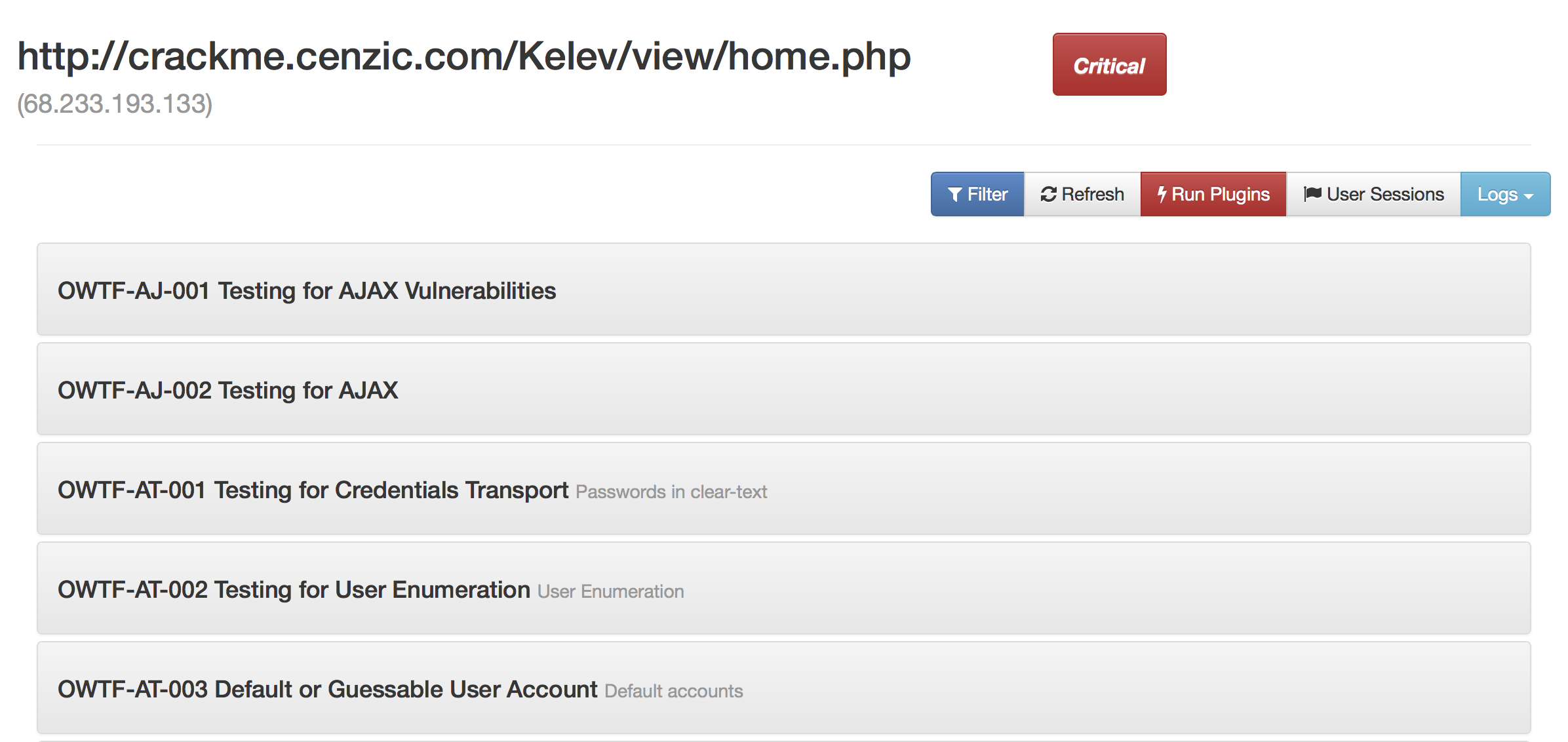
After the execution of plugins, you can navigate to the individual target report to go through the results of the plugins executed for that target. The report looks like this

../_images/target_report.png

Target report

Individual aspects for going through the report

  • Understanding plugin report
  • Saving your analysis
    • Manual Ranking
    • Notes
  • Advanced Filter
  • Transaction Log
Next
Understanding plugin report
Previous
Understanding Plugins
Copyright © 2016, OWTF Team
Made with Sphinx and @pradyunsg's Furo